Insert a photo from Google Photos/Drive..?
-
texas&pacific
- Posts: 99
- Joined: Wed Mar 30, 2011 2:14 pm
Insert a photo from Google Photos/Drive..?
Any suggestions? I tried several times to insert a URL or Img and got the broken image.
-
texas&pacific
- Posts: 99
- Joined: Wed Mar 30, 2011 2:14 pm
Re: Insert a photo from Google Photos/Drive..?
Does posting as attachments work..? I found that thread and tried it but it gave a yellow triangle warning that post limits were reached.
Margarita time.
Margarita time.
Re: Insert a photo from Google Photos/Drive..?
texas&pacific wrote:Does posting as attachments work..? I found that thread and tried it but it gave a yellow triangle warning that post limits were reached.
Margarita time.
Yep. That’s been a problem for almost everyone here. I find and use the same method as Sarge suggested. Free and effective and really quite simple after a few tries.
-
bob turner
- Posts: 13589
- Joined: Sat Jan 13, 2007 7:57 pm
Re: Insert a photo from Google Photos/Drive..?
I use Shutterfly. It is free, and all you do is click on an image to capture what they call "copy image link". It is automatically in your file once you click on it.
Then you come here, click on Img (9th block at the top) then click "paste." For me, "paste" is Control v.
Done.
Shutterfly has started asking for us to buy something every 18 months. Easy for me to justify, because I have made a beautiful book and the copy I have was worth the price. They have 50% sales every other day, with free shipping every third day, so no need to ever pay full price.
So for this photo, I went to my Shutterfly account, clicked on the circled + sign on the right of the image, right clicked the resulting enlarged image, and left clicked the words "copy image link".
Then I clicked on Img - here it is: . Now before you type anything else, simply order "paste." It will look like this:
https://uniim1.shutterfly.com/render/00 ... 1646506544 - only surrounded by img and brackets.
I took the brackets off so it wouldn't create a photo. Now I am going to do the same thing, but leave the brackets alone:

Then you come here, click on Img (9th block at the top) then click "paste." For me, "paste" is Control v.
Done.
Shutterfly has started asking for us to buy something every 18 months. Easy for me to justify, because I have made a beautiful book and the copy I have was worth the price. They have 50% sales every other day, with free shipping every third day, so no need to ever pay full price.
So for this photo, I went to my Shutterfly account, clicked on the circled + sign on the right of the image, right clicked the resulting enlarged image, and left clicked the words "copy image link".
Then I clicked on Img - here it is: . Now before you type anything else, simply order "paste." It will look like this:
https://uniim1.shutterfly.com/render/00 ... 1646506544 - only surrounded by img and brackets.
I took the brackets off so it wouldn't create a photo. Now I am going to do the same thing, but leave the brackets alone:
-
bob turner
- Posts: 13589
- Joined: Sat Jan 13, 2007 7:57 pm
Re: Insert a photo from Google Photos/Drive..?
By the way, I am really happy with this book. You can look without buying, and if you like it you can buy - probably around $50 with discounts. This is not a sales pitch; I get nothing if you buy from them.
I am really happy with Shutterfly. Really irritated with Photobucket.
https://www.shutterfly.com/share-produc ... DWEBMPRLNK
I am really happy with Shutterfly. Really irritated with Photobucket.
https://www.shutterfly.com/share-produc ... DWEBMPRLNK
Re: Insert a photo from Google Photos/Drive..?
I didn't see you post about Shutterfly Bob and wrote basically the same thing on another thread....my bad. I've looked at your book several times and it is good. Very professional. I'm sure the fact you can look at it for free made this a labor of love for you.
-
Dennis Holler
- Posts: 455
- Joined: Mon Dec 13, 2010 8:31 pm
Re: Insert a photo from Google Photos/Drive..?
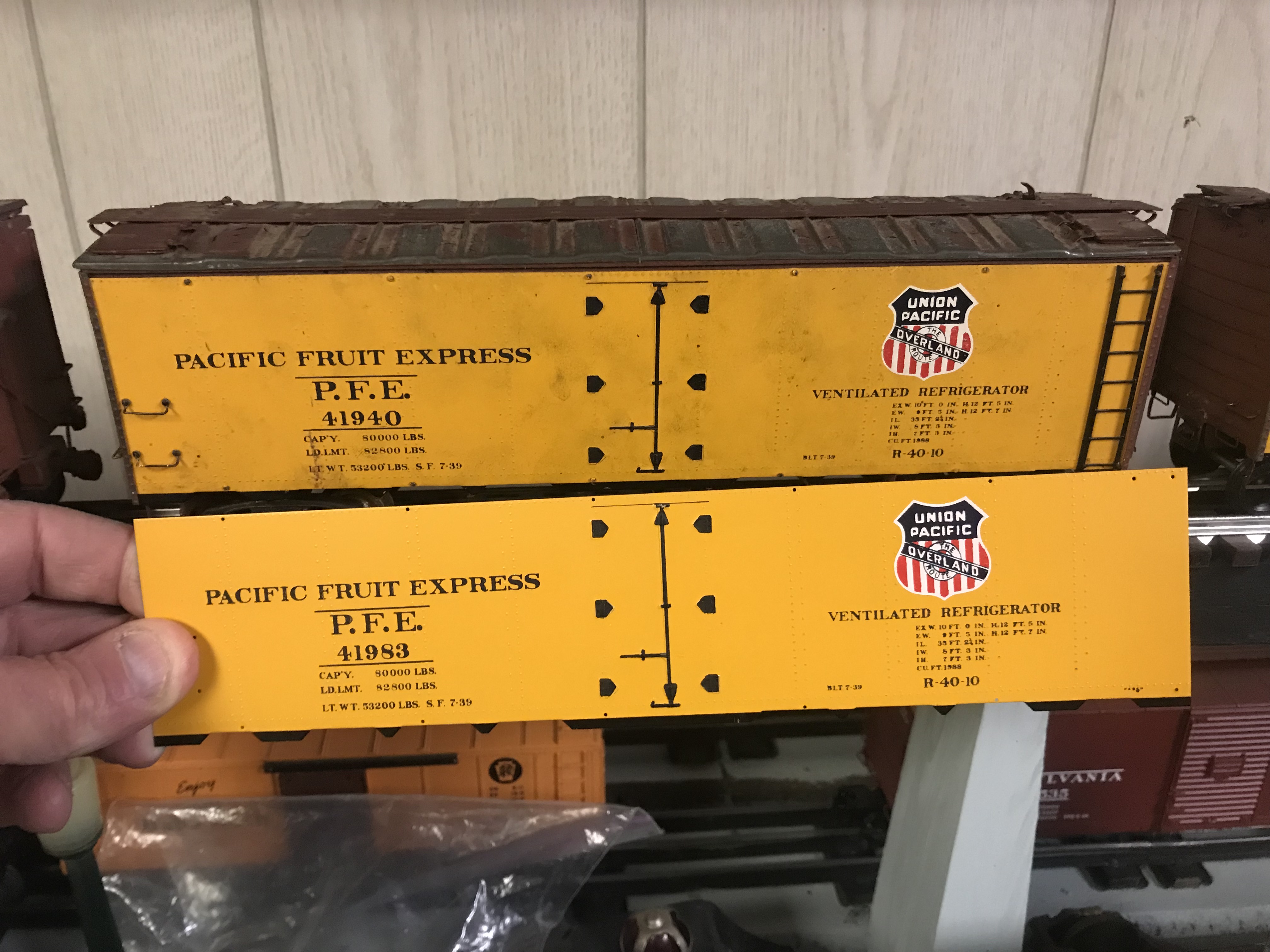
I guess I figured it out. Will see if this stays up, I was just using links from other forums and FB and those seemed to die pretty quickly.
Doorstop Rookie

Re: Insert a photo from Google Photos/Drive..?
Shutterfly test photo link:

Okay, yeah, that's pretty simple (sorry, didn't have any model train pics in the Shutterfly repository).
Now I gotta go buy something before they kill my account.
Okay, yeah, that's pretty simple (sorry, didn't have any model train pics in the Shutterfly repository).
Now I gotta go buy something before they kill my account.
-
Dennis Holler
- Posts: 455
- Joined: Mon Dec 13, 2010 8:31 pm

Re: Insert a photo from Google Photos/Drive..?
Dennis Holler wrote:Nice Cobra!
That is actually a far rarer car, an AC Bristol ("Bristol" being Bristol Aircraft, whose engine lurks within). It, like the Cobra, was spawned of the AC Ace. That particular car is an unrestored race car.
-
Dennis Holler
- Posts: 455
- Joined: Mon Dec 13, 2010 8:31 pm
Re: Insert a photo from Google Photos/Drive..?
Well you are not wrong if it is a Bristol!!
Doorstop Rookie
-
Erik C Lindgren

- Posts: 1307
- Joined: Wed Apr 28, 2010 11:37 pm
- Contact:
Re: Insert a photo from Google Photos/Drive..?
See if this works from Flickr:

-
Erik C Lindgren
- Posts: 1307
- Joined: Wed Apr 28, 2010 11:37 pm
- Contact:
-
Erik C Lindgren
- Posts: 1307
- Joined: Wed Apr 28, 2010 11:37 pm
- Contact:
-
Erik C Lindgren
- Posts: 1307
- Joined: Wed Apr 28, 2010 11:37 pm
- Contact:
Return to “O-Gauge, 2-Rail, Model Railroading”
Who is online
Users browsing this forum: Google [Bot] and 48 guests